
Skip to content

An Android app to help you build habits

Build habits
that fit your life.

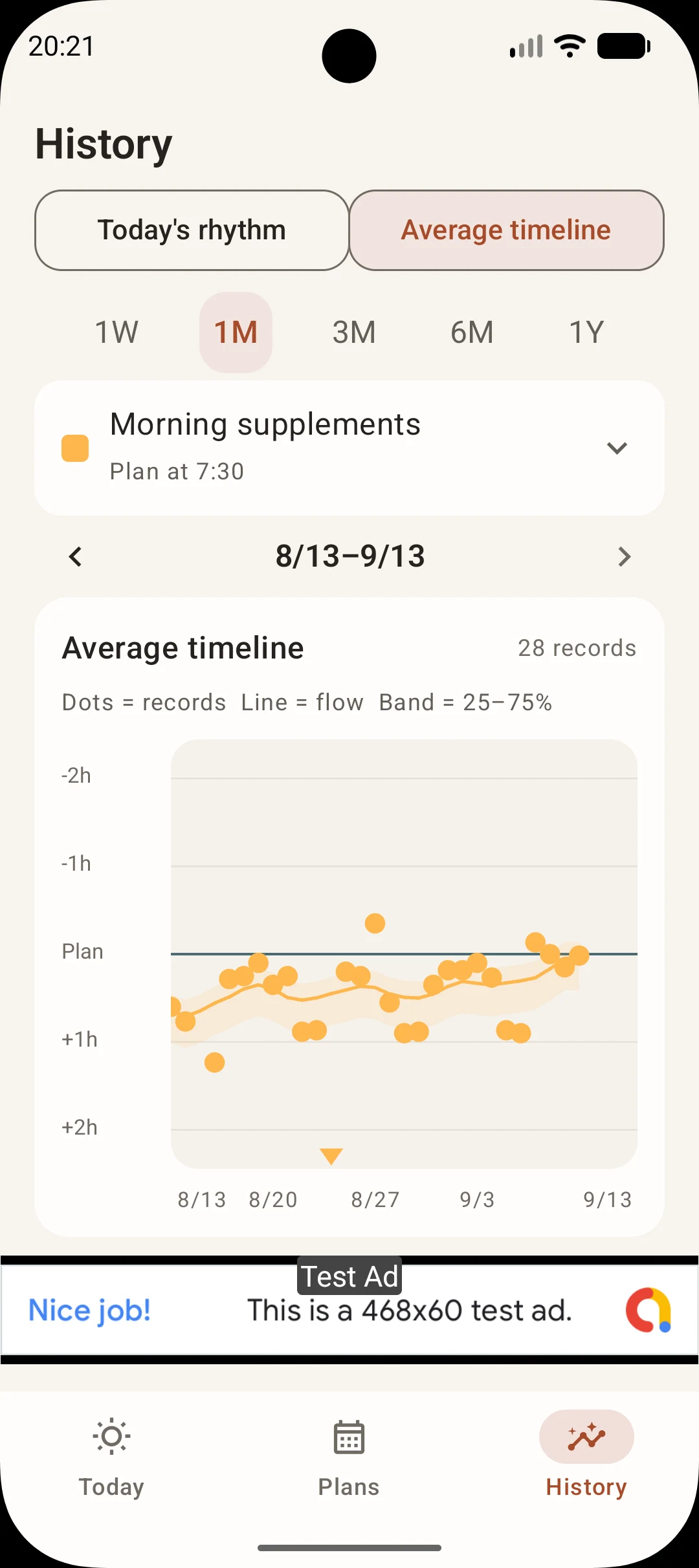
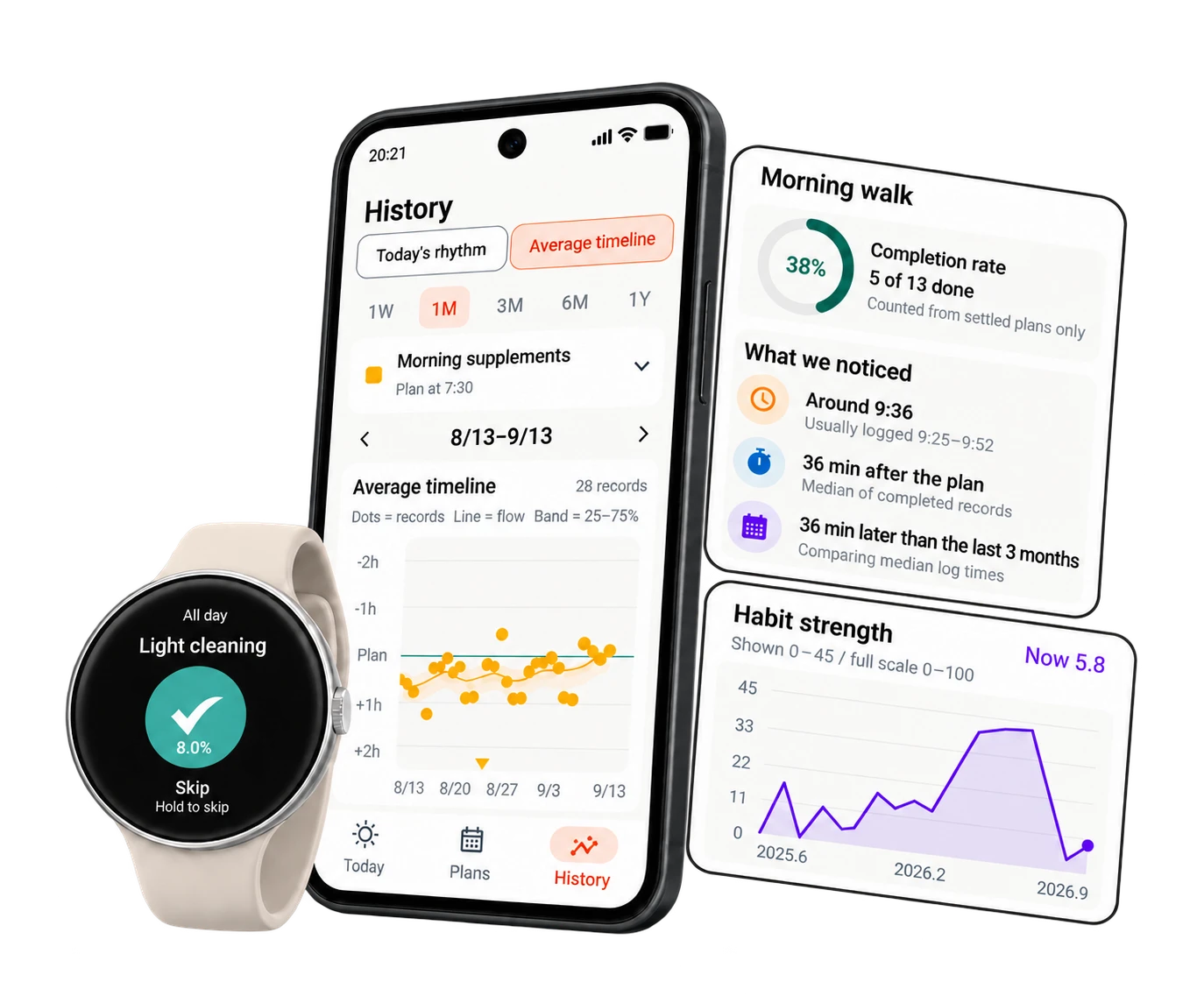
Peckot showing charts of recorded times and habit progress, with recording available on a watch.

Find your way forward in your records.

Reading, walking, stretching. Plan an action in Peckot, then record it when you’re done.

Compare planned and recorded times, review the days you completed your habits, and consider a schedule that fits your life.

Start on Google Play

Free, with ads / Android and Wear OS

Records become insight.

More than a streak.See what’s changing.

Your records reveal a rhythm that’s yours.

Reading, walking, stretching. Plan the habits you want to build, log completions, and compare planned and recorded times. An Android habit tracker for exploring when a habit fits your day, beyond counting how often you do it.

An illustrative scene of a woman reflecting on her daily records and patterns on her phone

01Compare daily plans with records

Planned and recorded times,
side by side.

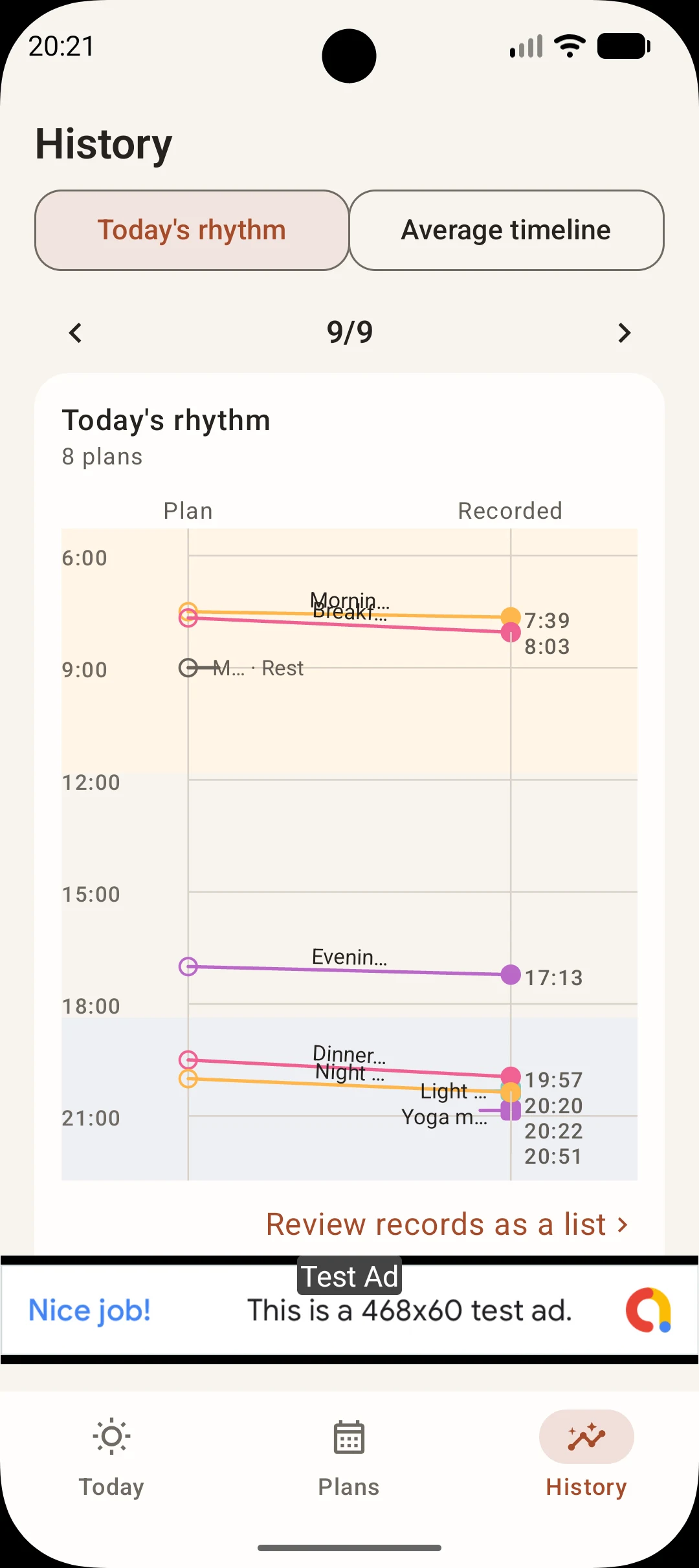
Compare planned times with the times you recorded completion, from morning to night. In the app, this view is called Today's rhythm.

Left to right
Follow each line from the planned time to the recorded time.
Morning to night
Review your records in time order across the day.
Compare daily plans with records

03Review how consistently you have kept going

See the whole journey,
including the ups and downs.

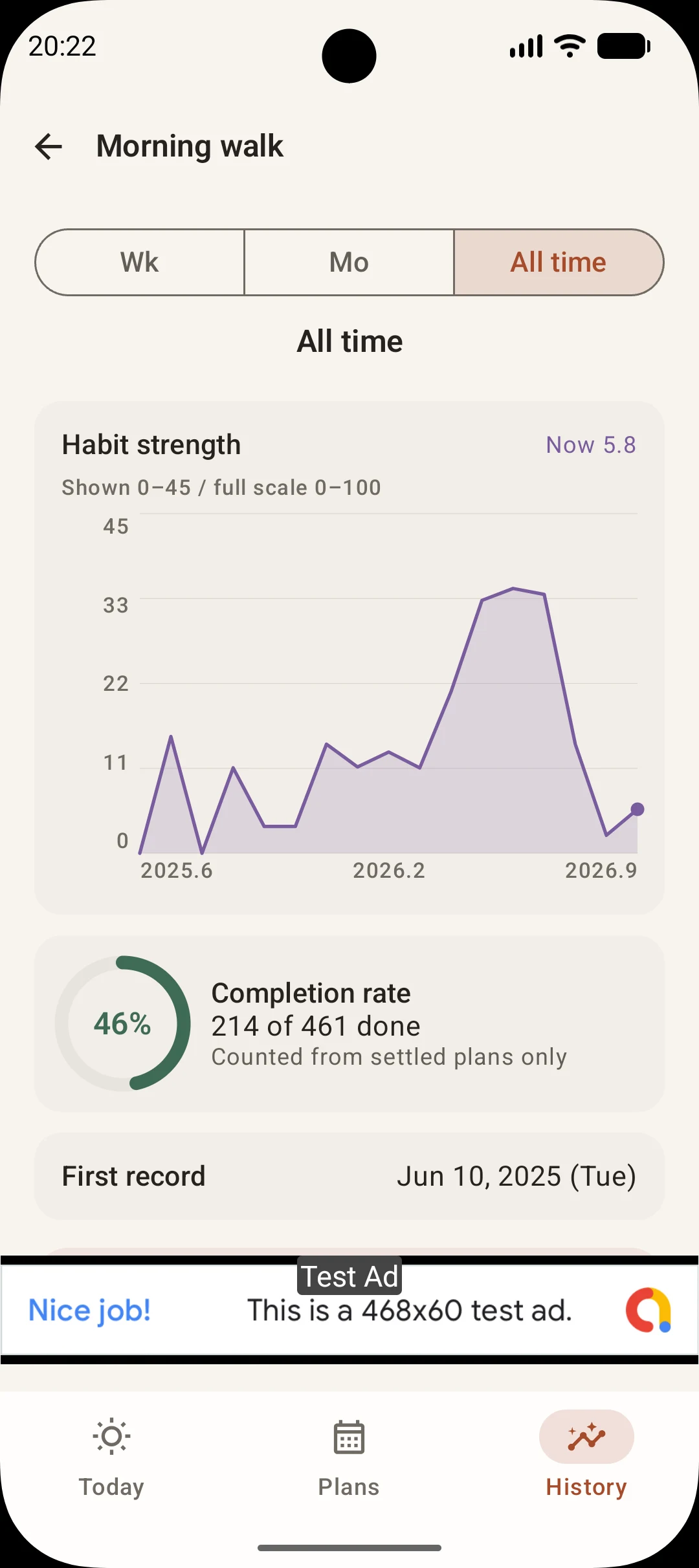
Review the percentage of opportunities completed and changes in an indicator of how established a habit is becoming. Consider these alongside your records over time, rather than judging one day alone.

Habit strength
A 0–100 guide to how established a habit has become. Peckot uses 90 as a guide for an established habit.
Completion rate
The percentage of opportunities you completed during the selected period.
Review how consistently you have kept going

AT YOUR OWN PACE

You don't need a perfect day.
Start with one thing today.

Some days you did it. Some days you didn't. Both are still your days.

A record of today can be a starting point for trying again.

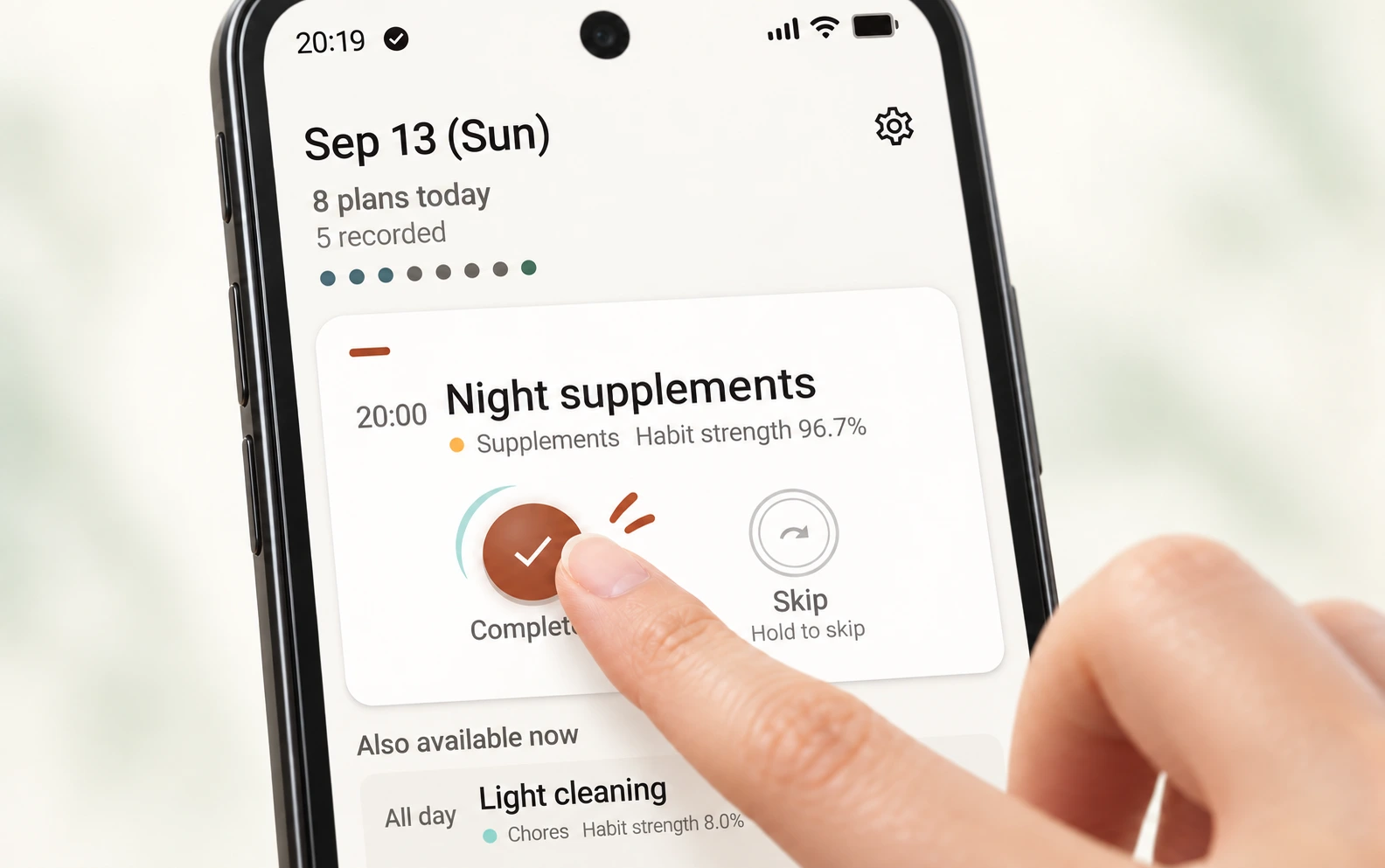
A fingertip taps Complete on the Today screen, with motion strokes and a ripple suggesting a light, springy tap.

Start with what you can do now.

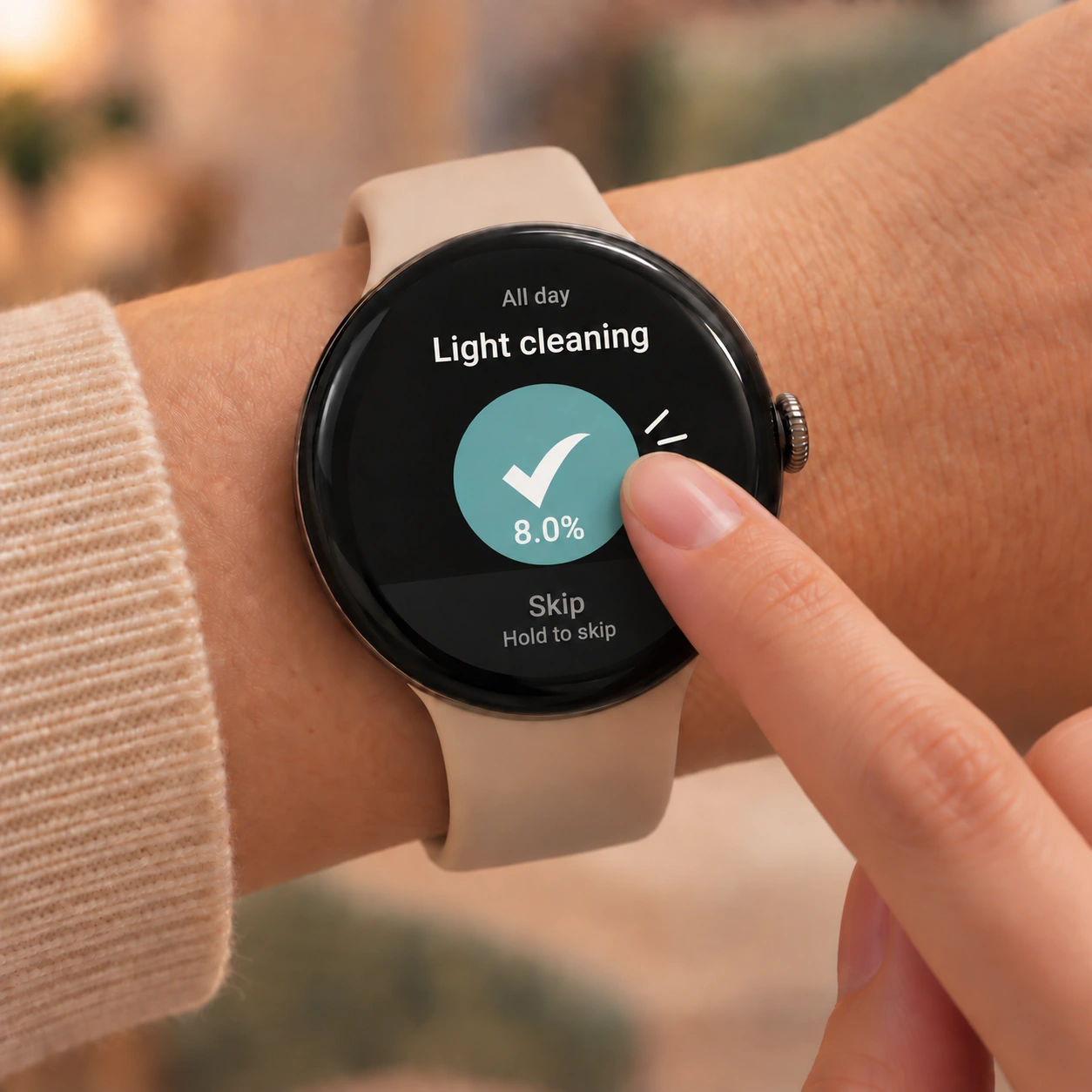
Mark it done when you can. Skip it when today is hard. Record it for how the day actually went.

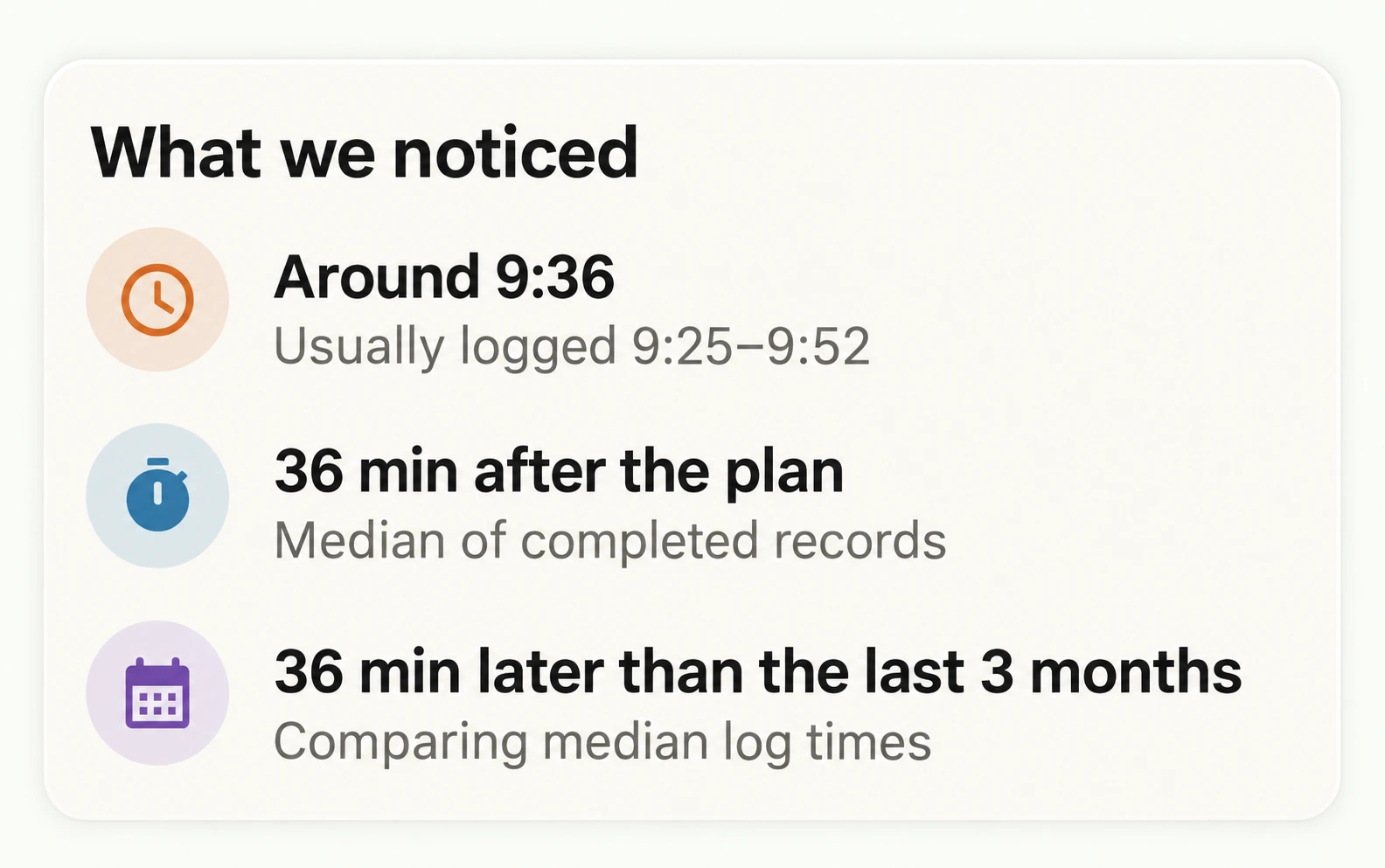
As records stack up, you start to notice patterns in time.

What we noticed: Around 9:36, usually 9:25–9:52. 36 minutes after the plan. 36 minutes later than the last 3 months.
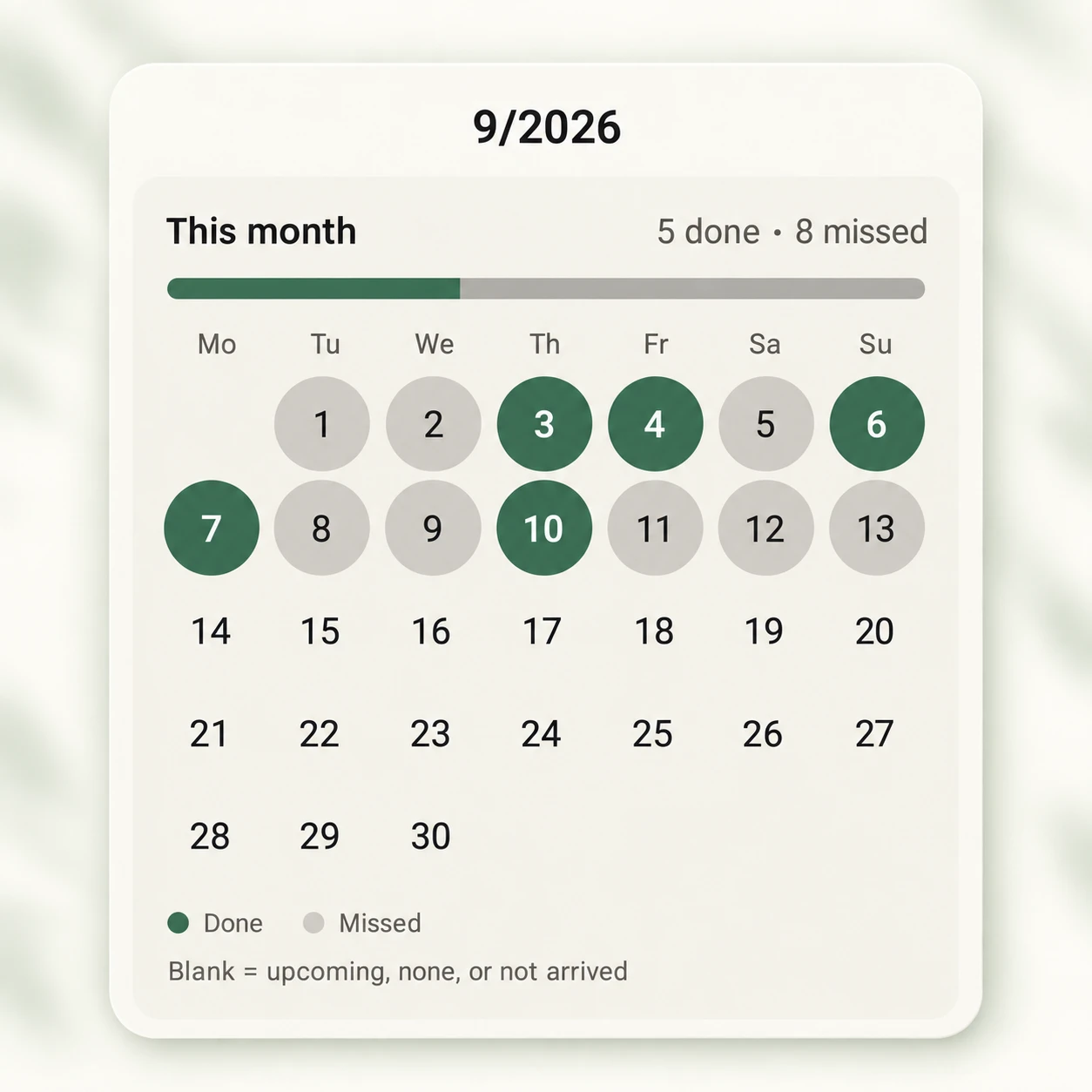
September 2026 monthly review: 5 done and 8 missed, shown together in green and gray on the calendar.

Look back, rest days included.

You don't have to fill every day. Looking at a month of records, the days you did it still show up.

The moment you start, and the moment you log.

Easy to use in everyday life.

TIME & LOCATION REMINDERS

Remember a habit
with time and place.

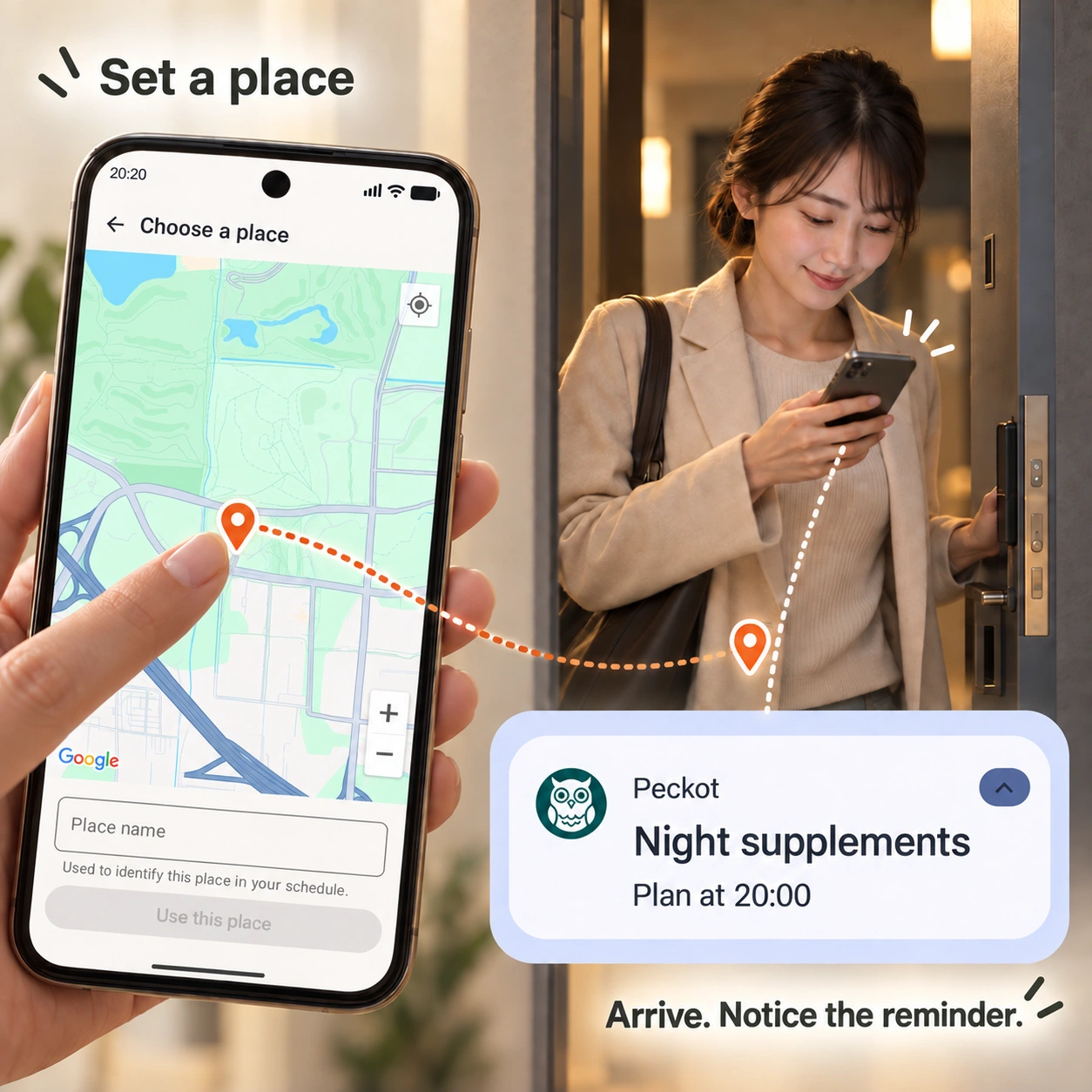
Want a reminder when you arrive at a specific place? Choose the location on the map, for habits such as stretching at home or reading at the library. You can also set reminders for specific weekdays and times.

Get a reminder when you arrive at a place →

Choose a place on Peckot's map, arrive home, and notice a reminder. A map pin connects to a woman at her doorway reading her phone, with an enlarged Peckot Night supplements notification.

QUESTIONS

Frequently asked questions.

Do I need to create an account?

No Peckot account is needed. You can create a plan on your phone and start recording.

Is Peckot free to use?

You can install it free from Google Play. The app shows ads.

How is habit strength different from completion rate?

Habit strength shows how established a habit has become on a scale of 0–100. Peckot treats 90 as a guide, rather than a guarantee, that the action has become a habit. Completion rate is the percentage of opportunities you completed during the selected period. For example, completing 7 out of 10 opportunities gives a completion rate of 70%.

Where are my records stored?

Plans and records are stored on your phone. Data backup in Settings lets you save them to a file and restore them. Make a backup before changing phones or uninstalling the app.

How does Peckot use location?

For place-based habits, location is used to detect arrival at the place you set. Location permission is also needed to detect arrival while the app is closed. Peckot does not store travel routes or continuous location history. Arrival detection can take a few minutes.

Can I use it without a watch?

You can create plans and review records on an Android phone. If you have a Wear OS watch, you can complete or skip from your wrist.

Peckot.

Turn today's small step
into tomorrow's insight.

Grow the habit at your own rhythm.

Start Peckot on Google Play

Android / Wear OS · Free, with ads