 Peckot.
LOCATION REMINDERS ON ANDROID
Remind me whenI arrive at a place.
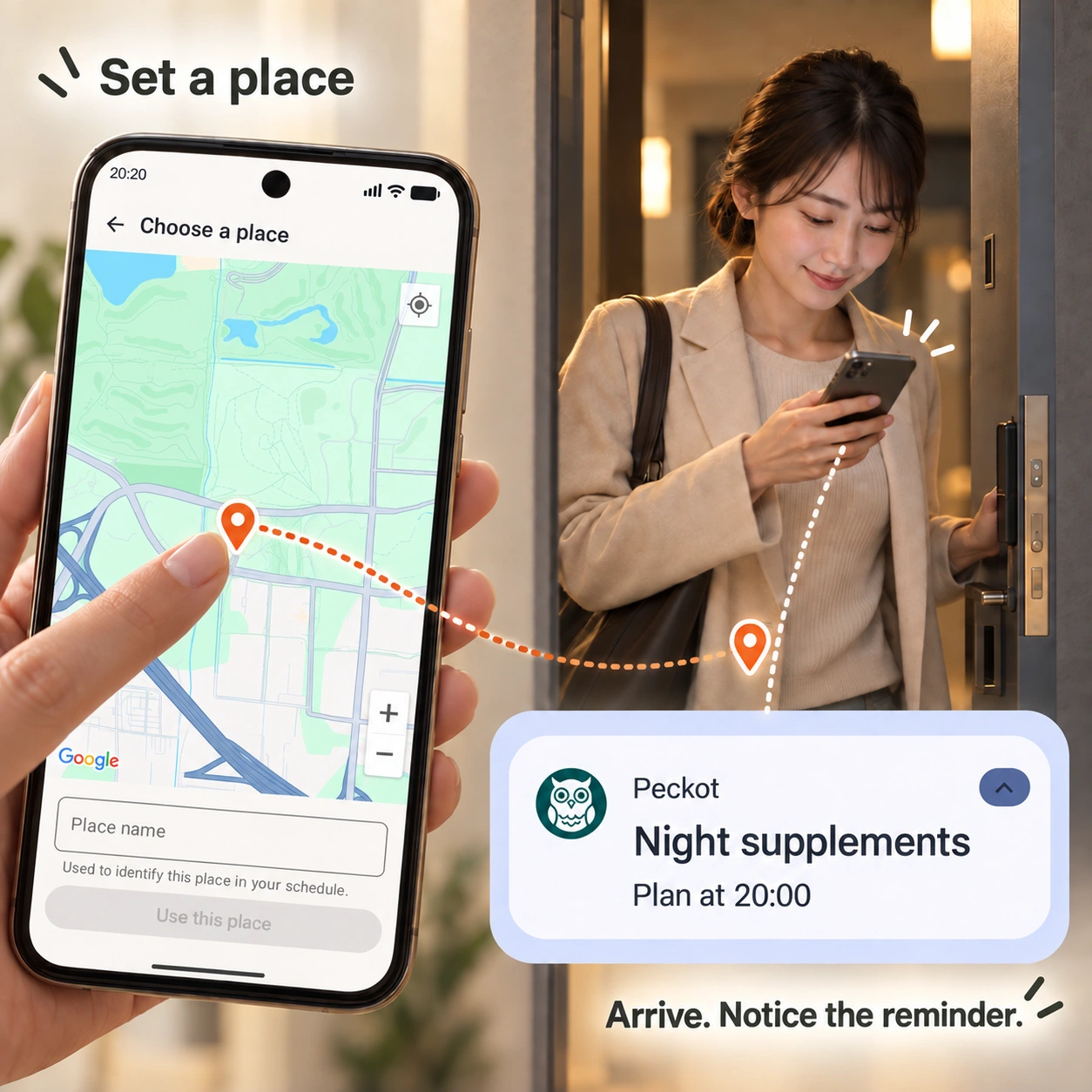
Stretch when you get home, or read when you reach the library. You may want a reminder tied to a place, rather than a fixed time. In Peckot for Android, choose a place on the map and get a notification on your own phone when Peckot detects your arrival using phone location. Detection can take a few minutes and requires location and notification permissions.
When a place is a better cue than a time
Think of stretching after you get home, or reading when you arrive at the library. Even when your arrival time varies, the place can be your cue. For actions tied to a fixed time, choose a weekday-and-time plan instead.
With Peckot, you can act on the reminder, record completion, and look back on your habit strength. Days you do not visit the place are not counted as missed opportunities for that habit.
Create a place-based plan on your phone
Choose arrival as the trigger
Add a plan from Plans and enter the action you want to keep doing. Under What starts this plan, choose Arriving at a place.
Choose a point on the map
Open Choose on map. If a permission prompt appears, read it and complete the settings. Tap the map to place a pin, then drag it to adjust the position if needed.
Name the place and save
Enter a Place name and tap Use this place. Back on the plan screen, check the timeout and reminder settings, then tap Save. Choosing a point alone does not finish saving the plan.
Prepare for arrival detection
Turn on location on your phone and allow Peckot to use precise location, including while you are not using the app. This usually means choosing Allow all the time in the app's location permissions. Labels and steps vary by device.
Location access for arrival detection and permission to display notifications are separate. Check Peckot's notification permission and settings too. Sound and vibration depend on your settings.
A visit becomes a chance to act
When arrival is detected, the habit becomes a plan for today. Use the notification as a cue to act, then record completion or skip. Receiving a notification does not automatically complete the habit.
Days you do not visit are not counted as missed. Once arrival has made the habit a plan for today, its timeout applies. Leaving and returning repeatedly does not create a new plan each time for the same place-based habit.
If the notification takes time
The detection area is about 100 meters around the point. Arrival detection can take a few minutes; it does not guarantee a notification the instant you cross the boundary.
If no notification arrives, check that the plan was saved, phone location is on, precise and background location are allowed, and notification permission is enabled. Follow any in-app message that place-based notifications are paused.
Common questions
Can I get a reminder when I arrive at a specific place?
Yes. Add an action and a place in Peckot to get a notification on your own Android phone when arrival is detected. You need precise location, background location access and notification permission. Arrival detection can take a few minutes.
Can I use it somewhere other than home?
Yes. Choose a place on the map and add an action you want to repeat there, such as reading when you arrive at the library.
What happens on days I do not visit?
Without arrival, that place-based habit does not become an opportunity for the day and is not counted as missed. This differs from a plan timing out after arrival.
Does returning later create another plan?
The same place-based habit becomes a plan at most once per day. Each new visit does not add another opportunity.
Does Peckot save my route?
Peckot does not save travel routes or continuous location history. It does handle the place you set and the arrival record that makes a habit a plan for the day.
Related guides
Let a place become a cue.
Link one action you want to remember to one place. Create a starting point for a habit within your everyday life.
View Peckot on Google PlayFree, with ads / Android and Wear OS
About Peckot →