 Peckot.
PECKOT GUIDE · WEAR OS
Record a habitwithout taking out your phone.
Finish your walk, then tap Complete on your watch without taking out your phone. Peckot connects your Android phone with a compatible Wear OS watch so you can record habits yourself from your wrist. Create plans and review your records on your phone.
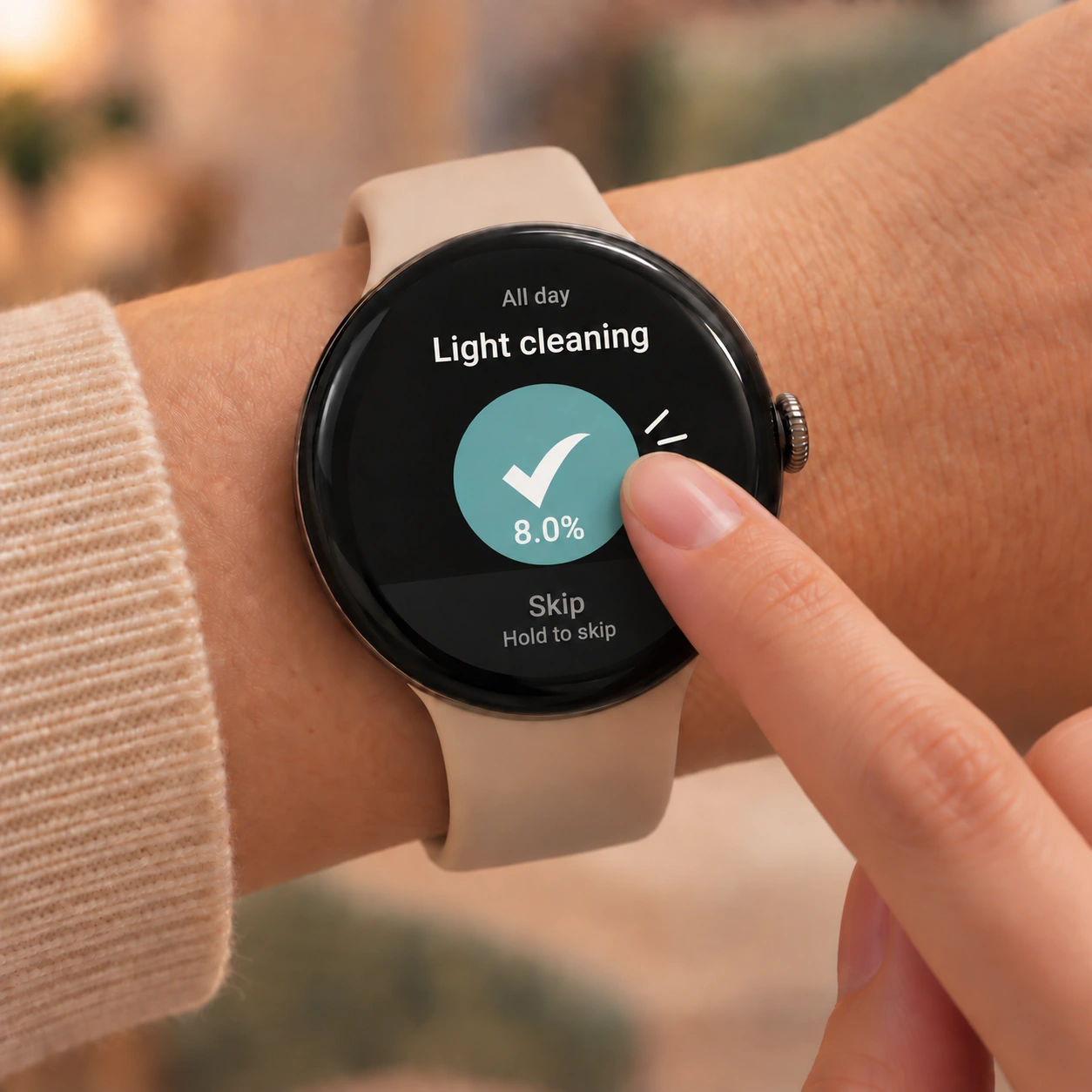
Plan on your phone. Record on your watch, too.
Use your watch to check today's plans and record completion or a skip. Use your phone when you want to edit a plan or review past records in detail.
- Android phone
- Create or edit plans for actions you want to repeat. Compare your planned times with when you recorded completion, and look for patterns across days.
- Wear OS watch
- Check today's plans. Mark them complete, or skip when today isn't the day. Use it together with your phone.
Before you begin
Have an Android phone and a paired Wear OS watch ready. Install both apps through Google Play on your phone.
Install both apps from your phone
Open Peckot in the Play Store on your phone and install the phone app first. Then, on the same store page, select your watch as the installation device and install the watch app too.
Create one plan on your phone
Open Plans in Peckot and add an action you want to keep doing. Use the watch to check and record plans; create them on your phone.
Open Peckot on your connected watch
Check today's plans synced from your phone. If the list is empty, check that you have a plan for today on your phone and that the devices are connected.
The steps for adding a watch app vary by device and software version. Google Help: Add apps to your watch ↗
Choose a plan, then record it.
Tap the plan you want to record in the watch's plan list. On its action screen, choose the option that fits your day.
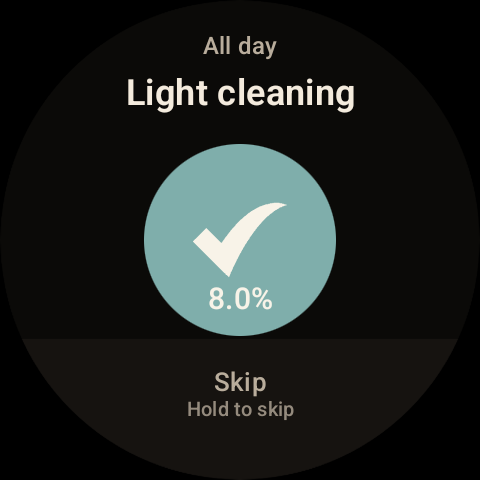
Done? Tap the check mark in the center
This records the plan as complete. Look for the “Done!” confirmation after your tap.
Not today? Press and hold Skip
Hold the Skip area at the bottom of the screen. The “Skipped” confirmation tells you the action was recorded.
See what your records reveal on your phone.
With your phone and watch connected, check that the record has appeared in Peckot on your phone. In History, open Today's rhythm to compare planned and recorded times, or Average timeline to review records across days. These are recorded times, not automatically detected activity start or finish times.
Explore the changes in your records →
The watch does not create plans or provide the phone's analysis views. If the connection drops, reconnect and check that your records have reached your phone.
Questions about recording from your watch
Can I record a habit without taking out my phone?
Yes. On a compatible Wear OS watch connected to your Android phone, choose a plan for today and mark it complete or skip it. Create the habit plan on your phone first.
Does it work on any smartwatch?
The watch app is for compatible Wear OS devices. Pair your watch with an Android phone and install both the phone and watch apps. Check Google Play's installation options to see whether your device is supported.
I can't find Peckot on my watch
You need to install the watch app as well as the phone app. Open Peckot's page in the Play Store on your phone and select your watch as the installation device. If your watch isn't listed, check its pairing with your phone, the Google account used for Google Play, and device compatibility.
Today's plans aren't showing
Check that you have a plan for today on your phone. Check the connection between your phone and watch, then reopen Peckot on the connected watch.
Notifications aren't reaching my watch
Check notification permission and settings on your watch. If Peckot asks you to allow alarms, follow that prompt to check the alarm permission too. In Peckot's notification settings on your phone, use “Try on watch” to send a test notification. Your phone and watch need to be connected for this test.
Can I use Peckot without a watch?
Yes. You can create plans, record completions and skips, and review your habits on an Android phone alone. Wear OS is an option for recording from your wrist.
Read timing patterns from your records →
Record your next small step from your wrist.
Set up a plan on your phone, then record it where you are. Start in a way that fits your day.
View Peckot on Google PlayFree, with ads / Android and Wear OS
About Peckot →